

Online banking has changed the way people manage their money. Instead of visiting a bank branch to check an account balance, transfer money, or pay a bill, customers can complete many financial tasks from a smartphone or computer.
The convenience of online banking is one of its biggest advantages, but it also raises an important question: How safe is online banking?
Online banking can be a secure way to manage money when customers and financial institutions use appropriate security measures. However, no digital system is completely free from risk. Scams, stolen passwords, malware, phishing attacks, and unauthorized account access can create financial and privacy concerns.
Understanding the risks and following basic security practices can help you use online banking more safely.
What Is Online Banking?
Online banking allows customers to access and manage their bank accounts through the internet.
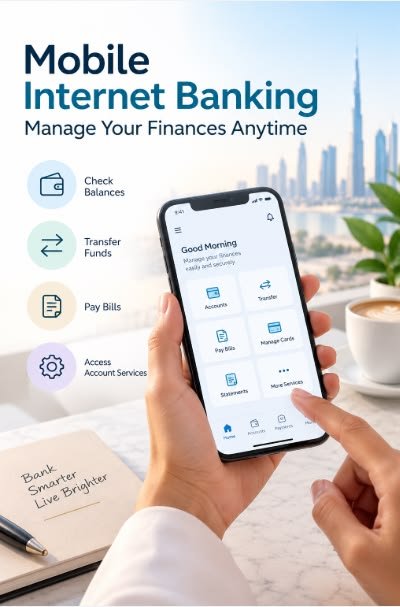
Depending on the financial institution, customers may be able to:
- Check account balances
- Review transactions
- Transfer money
- Pay bills
- Deposit checks through a mobile app
- Send money to other people
- Manage debit cards
- Set account alerts
- Download statements
- Contact customer support
These services can save time because many banking activities can be completed without visiting a physical branch.
How Do Banks Protect Online Accounts?
Financial institutions use multiple security measures to protect online banking systems.
These may include encryption, authentication systems, fraud monitoring, transaction monitoring, device recognition, and security alerts.
Banks may also use multi-factor authentication, which requires customers to provide more than one form of verification when logging into an account or completing certain activities.
For example, a bank might require a password along with a verification code sent through an approved method.
Security measures vary by institution, so customers should review the security options offered by their bank.
What Is Multi-Factor Authentication?
Multi-factor authentication, often called MFA, provides an additional layer of security beyond a password.
Instead of relying only on something you know, such as a password, MFA can require another form of verification.
This could include:
- A security code
- An authentication application
- A security key
- Biometric verification
- Another approved verification method
If someone obtains your password, an additional authentication requirement can make unauthorized access more difficult.
Whenever your bank offers strong authentication options, consider enabling them.
What Is Phishing?
Phishing is one of the major risks online banking customers should understand.
A phishing scam attempts to trick you into revealing sensitive information such as your username, password, account details, or authentication codes.
For example, you might receive an email or text message claiming that there is a problem with your bank account. The message may tell you to click a link and log in immediately.
The link may lead to a fraudulent website designed to look like your bank’s website.
To reduce the risk of phishing, avoid clicking unexpected banking links in emails or text messages. Instead, open your bank’s official app or manually enter the bank’s known website address.
Create a Strong Password
A strong password is an important part of protecting an online banking account.
Avoid using easily guessed information such as your name, birthday, address, or simple combinations of numbers.
Use a unique password for your banking account rather than reusing the same password across multiple websites.
If another website experiences a data breach and your password is reused elsewhere, attackers may attempt to use the stolen credentials to access other accounts.
A password manager can help you create and securely store strong, unique passwords.
Be Careful With Public Wi-Fi
Public Wi-Fi networks can create additional security concerns.
Avoid performing sensitive banking activities on unfamiliar or unsecured networks whenever possible.
If you need to access your bank while away from home, using your mobile network or another trusted connection may provide a safer option.
Also make sure your phone, computer, and banking application are kept up to date.
Keep Your Devices Updated
Software updates often include security improvements and fixes for known vulnerabilities.
This applies to your smartphone, computer, web browser, operating system, and banking applications.
Enable automatic updates when appropriate and install security updates promptly.
Using outdated software can expose your device to vulnerabilities that attackers may exploit.
Set Up Account Alerts
Banking alerts can help you notice suspicious activity more quickly.
Depending on your bank, you may be able to receive notifications for:
- Large transactions
- Debit card purchases
- Low balances
- Login attempts
- Transfers
- Password changes
These alerts can help you identify unusual activity sooner.
If you receive an alert about a transaction you do not recognize, contact your financial institution using an official phone number or communication channel.
What Should You Do If You Suspect Fraud?
If you believe someone has accessed your bank account without authorization, act quickly.
Contact your financial institution using a trusted phone number, such as the number printed on your debit card or shown through the bank’s official website or application.
You may need to change your password, lock or replace your card, review recent transactions, or take other security measures.
Do not rely on contact information provided in a suspicious message.
If you believe your personal information has been compromised, you may also need to take additional steps to protect other accounts.
Should You Save Banking Passwords in Your Browser?
Saving passwords in a browser can be convenient, but security depends on the device, browser, account protections, and your overall security practices.
A dedicated password manager can provide additional features for generating and storing unique passwords.
Whatever method you use, make sure your primary device is protected with a strong passcode or other appropriate security measure.
Avoid allowing other people to access your financial accounts through an unlocked device.
What About Mobile Banking Apps?
Mobile banking applications can provide convenient access to financial accounts.
Only download banking applications from trusted official app stores and verify that you are installing the legitimate application.
Keep the application updated and use your phone’s security features, such as a strong passcode and biometric authentication when appropriate.
If your phone is lost or stolen, contact your financial institution and mobile provider if necessary and take steps to secure your accounts.
Is Online Banking Safer Than Traditional Banking?
It is difficult to say that one method is universally safer.
Online banking provides security technologies and monitoring systems that can help protect customers, but digital threats also exist.
Traditional banking has different risks, including physical theft, lost documents, and other forms of fraud.
In either environment, customer awareness is important.
The safest approach is to understand the security practices associated with your financial institution and protect your own account credentials and devices.
Final Thoughts
Online banking can be a convenient and secure way to manage your finances, but users should still take precautions.
Use strong and unique passwords, enable multi-factor authentication, keep your devices updated, avoid suspicious links, be careful with public Wi-Fi, and monitor your accounts regularly.
Most importantly, remember that legitimate financial institutions generally will not require you to reveal sensitive security information through unexpected emails or messages.
No security system can eliminate every possible risk. However, combining the security features provided by your bank with careful personal habits can significantly improve the protection of your online financial accounts.